# HoarDom
Allows you to HOARd DOMains but with alot less pain associated with it.
> "How to get my IP unbanned by Whois servers"
> -- Probably you after using this tool.
## Latest Update : tool now has a wrapper app for desktop* folks!
(No windows support only unix.)
Use the new make file to either `make pkg` for macass or `make deb` for debian systems. If you are running gentoo or anything else just the usual `make install`, to uninstall do `make uninstall` obv. (both install and uninstall will require le sudo or root)
## What is `hoardom`? (a tldr)
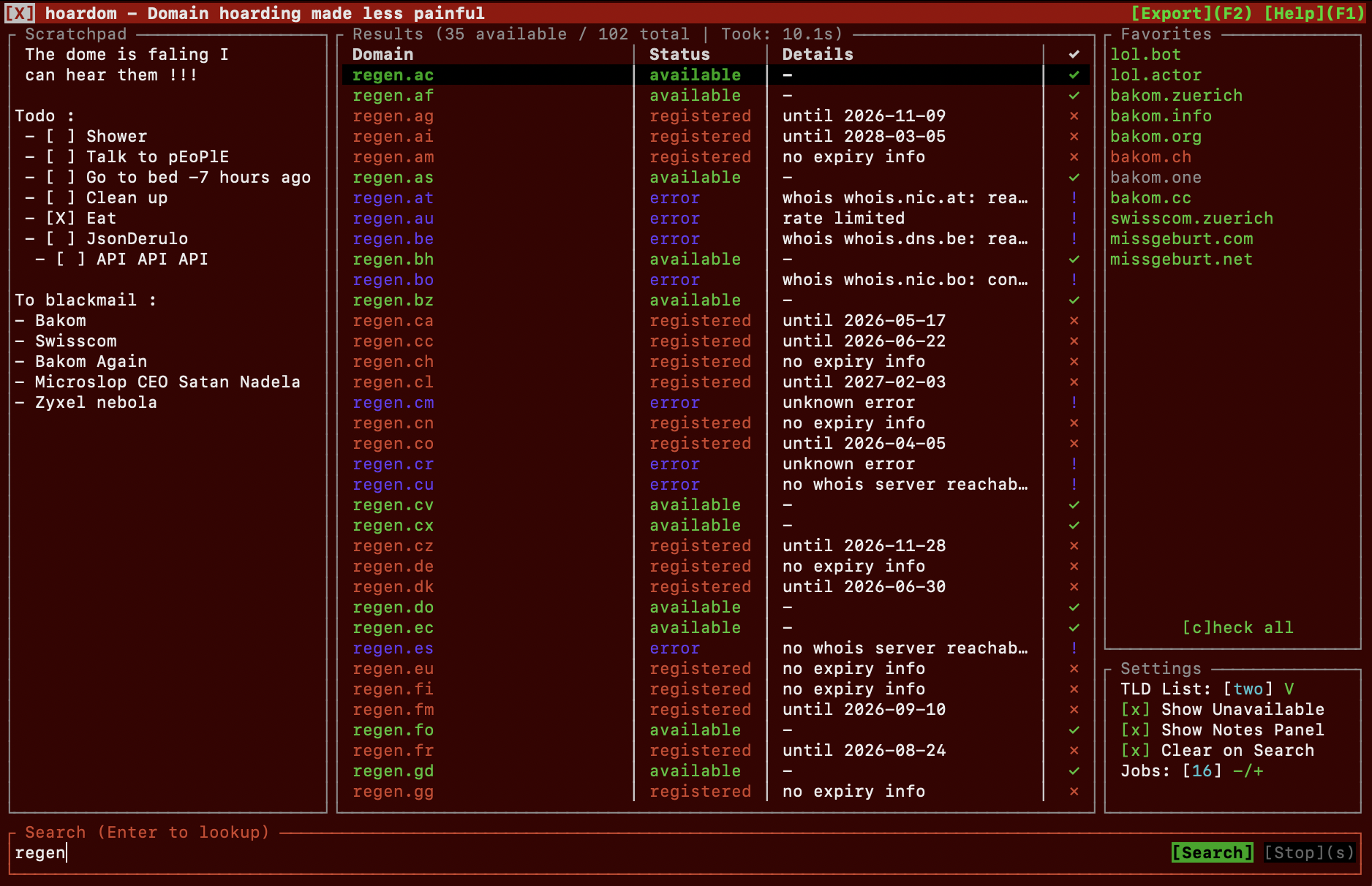
`hoardom` is a rust based tool with cli, tui and to some degree gui interface. It is intended for checking and tracking the availability and status of domains and domain name ideas.
In short the threeish interfaces serve the following purposes :
- CLI : Allows for quick and script/programm integratable use through its CLi interface returning domain availability status or lists with a wide but still sane amount of support of parameters
- TUI : Allows you to hunt and keep track of domain (name) ideas and quickly search up what is available and what isnt right in your unix terminal of choice
- GUI : Is a wrapper for the TUI that gives it its own icon in your app menu and when opened in dock/taskbar incase you wish to not use it that way.
## planed features
that will probably not come because I have no time.
- search within results
## Further screenshots
Have some screenshots I took as to know what will expect you and mainly for me to flex a bit.
### Its fast :
Searching the default domain list returns results of the top 100ish tlds in just **_1-3 seconds!_**
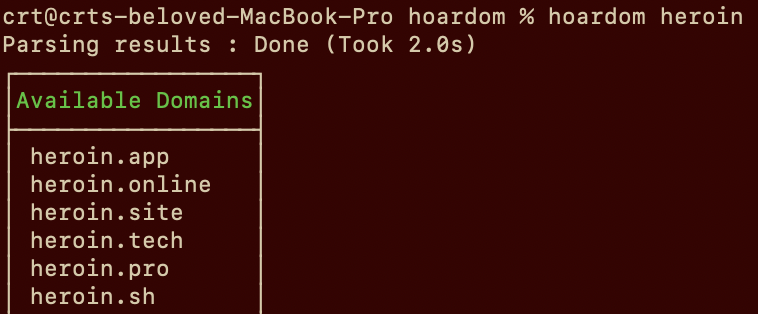
*(list of top 100ish tlds is a bit biased by my preference obviously)
Searching availability for all domains I was able to compiled which are purchasable through either : Porkbun, INWX or OVH (~637 Domains) will take only **_10-20 Seconds!_**
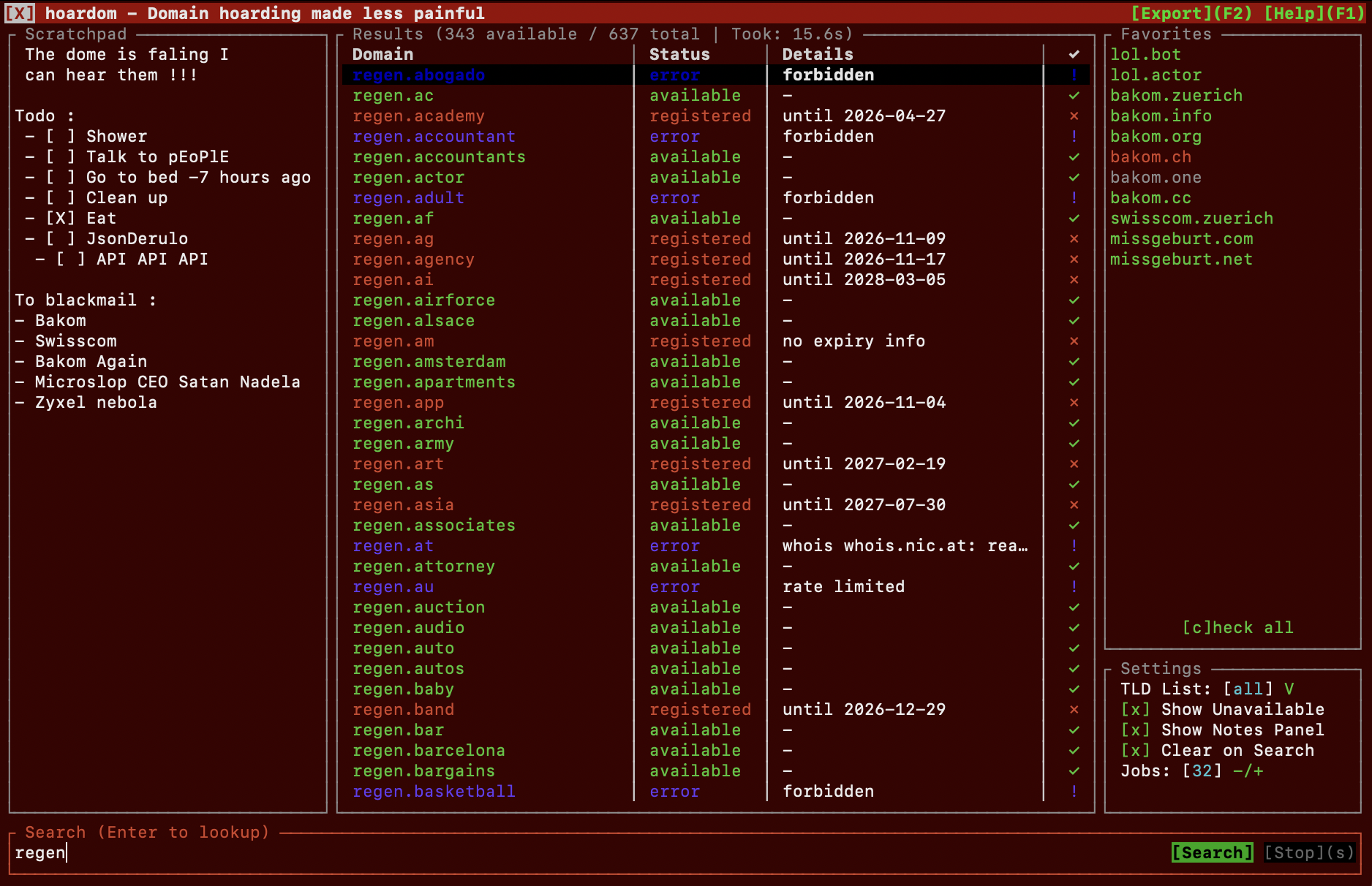
Btw theres even tracking of you your favorites! Showing a persistant " ! " for domains that changed from unavailable to available (and reverse). To make it go away you'll need highlighting it and press enter (its meant so that no change goes unnoticed)
### Export popup
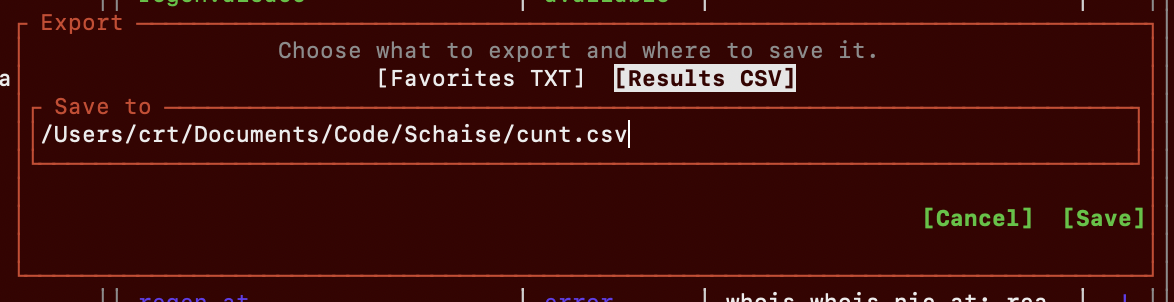
you can export stuff from tui wow!, tbh I dont know what else to show its pretty cool, check yourself tbh. It obviously can do full mouse support to and scrollwheel support is also there if you want
## How do I install `hoardom`?
`hoardom`'s tui and especially its gui interface officially only supports Unix based systems, Windows was net tested!
The regular cli interface should work with the built in main lookup and fallback whois implementations on Windows but that hasn't been tested.
### Debian
Not tested yet tbh. Probably wont build the GUI wrapper but should still add a desktop entry shortcut for opening it in terminal
```bash
# Install RustUp Toolchain (Optional if already installed)
curl --proto '=https' --tlsv1.2 -sSf https://sh.rustup.rs | sh
# clone and enter this repo
git clone https://git.teleco.ch/crt/hoardom.git && cd hoardom
# make deb and install
make deb
sudo dpkg -i target/deb/hoardom*.deb
```
### Other Linuxes
Not tested yet tbh. Same as above.
```bash
# Install RustUp Toolchain (Optional if already installed)
curl --proto '=https' --tlsv1.2 -sSf https://sh.rustup.rs | sh
# clone and enter this repo
git clone https://git.teleco.ch/crt/hoardom.git && cd hoardom
# build and install
make
sudo make install
```
### MacDonalds OS
Also known as MacOS
```bash
# Install RustUp Toolchain (Optional if already installed)
curl --proto '=https' --tlsv1.2 -sSf https://sh.rustup.rs | sh
# clone and enter this repo
git clone https://git.teleco.ch/crt/hoardom.git && cd hoardom
# make pkg installation file.
make pkg
```
After that go to the target/release folder and install the PKG file.
### Uninstall
```
sudo make uninstall
```
### Minimal Q&A on getting started
And potentially fun facts.
>
-
> **_Question:_** How do I open the TUI?
-
> **_Answer:_** With : `hoardom`
>
-
> **_Question:_** I dont need GUI all I want is a simple command?
-
> **_Answer:_** Ofcourse! That was the initial idea, simply type :
> --> `hoardom somedomain.com` to see if a specific domain is free
> --> `hoardom somedomain` to check which top 100ish tlds are free
> --> `hoardom -l all -a somedomain` to check all 600ish registerable domain names and explicitly show which ones are already taken
-
> **_Note:_** If you need stuff like csv outputs or other silly features check [the CLi docs](doc/CLI.md)
#### Custom lists
As this is mentioned below as a fix to a bigger problem ive added this here (also partially because i forgot to rename import filter to import list, earlier typo that survived for too long)
Tldr you can make custom search list see example : [`doc/example-list.toml`](doc/example-list.toml)
Custom lists are basically a really simple toml file with a name and the `tlds` array.
To import them/update them use `hoardom --import-filter ./path/to/list.toml --tui`
## Docs
the proper usage docs live here cause i didnt want this readme to become like 1km long (its already too long anyways)
- [CLI usage](doc/CLI.md)
- [TUI usage](doc/TUI.md)
## Known Problems
Just so you know + how to get arround some of the bigger ones.
- **_BIG ISSUES_**
- *Problem* : Not fully ready for microdomains, If searched for SLD is only 1-3 chars some false positives from TLDs that dont allow such short SLDs are possible if that domain isnt registered.
- Temp Fix : Make custom list that excludes the missbehaving
- *Problem* : No support for special characters like ö ä ü
- Temp Fix : Type prefix `xn--` and the punycode for ur special character by hand or use a converter.
- **_Meh Issues_**
-
- Problem : No real like settings pop up panel in TUI to control rest of configuration options in TUI
- Edit your settings manually, by default in ~/.hoardam/config.toml
- **_Tiny Issues_**
- scrolling then selecting something by mouse might select wrong thing as hitboxes for selection cant updated fast enough due to spasming touchpad scroll events.
- Temp Fix : Be Patient and give it like 1-5 seconds to catch up and dont scroll as fast
## How much Slop can I expect in this repo?
Usually comments were left for things that had unusally high amounts of things not done by me. If code has like ... very minimal or barely any comments its probably my own spaghetti code. If its got a bunch of em that look overly gramatically correct it was done by an llm, heres infos as i believe projects should state their usage of ai so I can avoid pure slop projects on GH that only work halfways :
- General Infos
- Basically all used agentic LLMs were ran on my own hardware at home.
- Extensive systemprompt was writen to fix some basic typical garbage behaviour by agents
- This project shouldve never taken more than a few hours... However i spiraled and went nuts making it too capable because I got a rush of hyperfocus for it for while
- Where and for what were they used :
- Bugfixing, Internet Research and Repetitive work :
- Project is a bit of a mess as I lacked time to neatly split up repetitive functions into modules and didnt trust ai doing it. Bugfixing occassionally was guided by models capable of browsing the internet via mcp as googles search results are becoming worse and worse by day and i cant find crap anymore thanks to all the sponsored and ai slop that google itself already shoves in my face.
- Documentation and Comments :
- All docs and code commends usually get looked over by Agentic LLMs and incase things were in German/Swiss-German they were translated to english and if they contained swearing it shouldve been removed. Places that have unusally high ammounts of comments might be bugfixes done by ai, didnt really tell it to make comments for me just sanetize mine.